980qc

My Blogger TricksAll Blogger TricksAll Blogging Tips

Contact me

hackercrackerblog@gmail.com
Powered by Blogger.

VOTE FOR MYBLOG

Subscribe to sms alerts

CLICK Shuffle Icon below to get a random post

Social Icons

Featured Posts

SCAN THIS QR CODE TO DOWNLOAD BLOG'S ANDRIOD APP OR CLICK DOWNLOAD TO DOWNLOAD TO YOUR PC


pop

My Blogger TricksAll Blogger TricksTechtunes

Join and Earn

Search This Blog

NEW BLOG

addthis

Video Of Day

Text Widget

Followers

Social Icons

Horizontal Post Sample

Popular Posts

Social Icons

Metro UI & web design guidelines for Metro UI interface

Metro UI & web design guidelines for Metro UI interface

This post will guide you how to design an interface with Metro style UI.

1. The Metro UI is what?

Metro UI is an interface type based on the arrangement of fonts and square arrays developed by Microsoft. It began to be used to design for Windows Phone 7 and now Windows 8.
Indeed Metro UI design is inspired from the tables of the subway station (hence the name Metro).The tables have contrasting colors, big clear font and visual symbols. Actually we have ever seen it before in Windows Media Center, you can use any player, the Zune is also known Metro UI interface of Zune.
Metro UI Microsoft very seriously, it is not a style but a new design philosophy: simple, modern, pure technology. It's completely antithetical to Apple's style: refined, polished, classy.
Do you want to learn more about the history of Metro Ui can read the article Why Metro style interface becomes important to Microsoft?

2. Principle of Metro UI design

Metro UI interface design without disturbing eye images that only the actual information flow optimization is presented. The information provided on large tables with small buttons and effects move smoother. Microsoft has described the design philosophy Metro style UI with a simple table like this.
metro ui principle
1. Simple and modern: the first principle of the Metro UI is simple and modern, eliminating all superfluous elements not convey information. These things are removed, including the beautiful graphics, borders, shadows or 3D effects ...
2. Moves and Smooth: The motion should not so fast that there should be smoother and depth to help users feel it vividly. Moving the same pace with the movement of life.
3. Typography Inspired design based on the placement of an artistic font. Use a calligraphy font size and different densities like those icons. Characteristics of this type of design to ensure it has recently secured the art convey information effectively.
4. Focusing on content: It is the result of first principles and tenets 3rd. Removing the intermediate steps and what not to bring practical value. Help for users to communicate directly with content.
5. Purely technical: An interface is generated from the simple charts pixels. Without complicated patterns picky, no shadows and no attempt to simulate life. It gives a very good definition technology.

3. Designed web pages inspired Metro UI interface.

You should consult the site before embarking on the design of their own website.
WindowsBlogItalia - Windows 8, Windows Phone 7, Office
(This page on the Blogger)
1Xbox
4Winrumors
5MyKindofPhone
7MetroTwit
Microsoft Corporation-193813
8Chrome

4. Attention points when designing your blog Metro style UI

1. Notice to font. Though not mandatory, but you should use the Segoe UI font (the font of this blog). This font is very nice, modern and slim ... that's the beauty of digital is that Microsoft tries to emphasize.
2. Attention to colors. To get playful tone colors and beautiful as the brother of the windows8 should copy its color code. If you are knowledgeable about dithering and dithering principle, there is nothing to say, if you do not use the palette screen capture of window8 and refines the tone that I like.
PD7 Windows 8 Screenshot 1
3. Attention to important factors and not important. The key component highlights need to put in the big hub striking colors, large fonts and vice versa.
4.: Less is more., Simple design and minimalist, making a few key statistics and should set the widget's really important for the reader needs to have. Removing the animated gif file, the colorful images heterogeneity.
5. Attention to the space: The space between the plates and blocks important pieces than we think it makes a lot of aspects of the site. You put it note pads aligned arrays, or otherwise be subjected to a control order can be. Do not place objects monotonous regularity or too close together, making the reader breathless.
7. Icons. If they look closely you will see the image icon in the Metro interface is different, the symbol of social network services, the left and right arrow buttons up and down. (See the Resources section to download Metro-style icon set for use Ui)
8. Attention to these effects. Effects Using a smart way to create smoother in motion. Do not use the shadow technique, 3d, Border or other complex effects for decoration. To finally create pure beauty of modern digital technology

5. Resources

1. Ministry Metro UI style icon

metro ui icon set
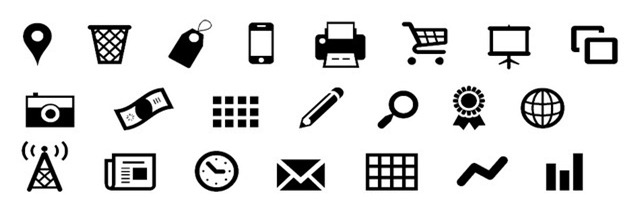
This is a very beautiful icon set includes 3 sets each have more than 400 Metro UI style icon. It includes icons for office applications, social network services, equipment, web browser ... This is the indispensable icon if you want cahs web design Metro style UI. (Click on image for download link)

2. Flash icon and font
flash icon
Icon collection and dozens of font (or free of charge) in accordance with the interface Metro UI style.You should download to use it very useful for the design process.

3. Slide and fade effect smoother.

easy-slider-jquery


3 jquery tips are very basic and simple, you should not have too much knowledge of application code to it if you know how to coordinate this procedure will create lightness feeling smooth and professional blog.

Basics of HTML - Know about Headings (title)

Basics of HTML - Know about Headings (title)


HTML is the most basic components to build blog. Whether you write a blog on no matter what platform Blogger, Wordpress, Joomla ... then you'll ever need to learn HTML. The web browser will read the HTML code and display content on the screen.
To read learn HTML, there are many out there some of them are written below...

1. Headings Three reasons to use

First reason: beautiful decoration articles. Sounds like a simple 2-level students but is so true. The use of different article title (striking colors, large font, capital letters ...) makes nice article and more personal.
The second reason: The use of different Headings for content articles that are clearer and help readers more readable, they can skim through the article and immediately grasp the main points should be emphasized.
The third reason: Good for SEO. The beetles look for when browsing through the site will find out where the text is important. Of course it is understood that the article title is usually the main ideas are stressed.

2. Way Headings used in the article.

In the current editor always has 2 modes, WYSIWYG mode and HTML mode. In the HTML editor would like the text is underlined you covering it with a collapsible card as follows


you need the most powerful Text
This is the standard syntax, you only need to remember and apply immediately in your posts. Sure you'll wonder why is not that 

 or 

.

 This is the answer ...

3. 6 levels of post title

There are 6 steps from the article title to

, in which conventional

title is the most important, descending importance to

.
For Blogger 

 title for the title of the blog (blog name), 

for the title of the article.

 Thus for article content normally we should start using

.

 For smaller title we use

or

.
Rarely have to
users.
The title of the same rank are browsers and search engines are implicitly equal importance.SEO experts recommend in a particular page should only have one title

 only.
Depending on your purpose, you can emphasize blog title or post title. In his Blog Designchoose emphasized the post title.
To find out your blog post titles on a level that you use the following way. If you use Chrome or Firefox, then put the mouse cursor to the post title, right click select "Inspect Element." You will see a window appear something like the image below.
 
CLICK FOR LARGER IMAGE


Also another way is to press Ctrl + U to view source blog and find the CSS code regulations Headings.

4. Should be used Headings like?

Of course, to decorate Headings - then the article title. This is pretty simple you just need to know a little bit about yourself CSS can be decorated to your liking. Typically, the largest

and descending to

however this is not mandatory.
You should also understand that not as large font or the colors are garish browsers and search engines seriously. Decorative colors, graphics or flickering effect only works for the human eye alone.The browser itself only read the script, and it is always implied

more important

,

is more important than

....

So do not abuse the use of a bluff Headings. It should be emphasized Headings used to sort and organize a scientific article. Failure to use or excessive use of Headings Headings will make it very difficult for the reader and the search engines.
The next time you go to the post edit mode and add HTML tags to delimit Headings open the article title. Attempts to look okay!

Difference between a blog and website

Difference between a blog and website


In the eyes of an outsider's website confirmed "to" blog more. Because blogs are easy to make, the new little grandson at home in middle school also known as blogging again! In fact, if the user does not learn very easy to do and what this jargon. The confusion that would result in the wrong direction disastrous. In this article we will discuss the differences between blogs and websites.
In terms of applications, the blog and website nothing else, it is literally a place on the internet to 
On even the external appearance or interface nor nothing else. Interface is the face of the blog / website, many people believe that the website looks beautiful and much more advanced blog. It is true that in the beginning for some services offer free blog users need to comply with the framework set by the service provider to be very limited in terms of graphic design. But today's boundaries have blurred, because the blogging platform is now much more flexible. Blog made a big step forward. Many blogs also have beautiful graphics and website features lots more. In the 100 largest websites in the world today has been built a few dozen pages on the net source like Wordpress or Blogger blog.
Journal of American politics The Huffington Post is a very typical example. Its starting point is the idea of the individual journalist and writer and commentator Arianna Huffington profound. Develop an electronic newspaper based on the idea of a blog platform: flexibility, simplicity and calculation highly interactive. The first time this page is only a minimal number of collaborators: a technical person in charge, a cameraman and a reporter. On nayThe 6000 Huffington Post blogger editor 97, 203 staff each day approximately 1,000 published information, all of which has about 300 consolidated from other electronic media, more than 300 news and articles by the reporters, editor and wrote about 300 articles on the blog.
What is the basic difference? Most fundamental difference between the blog and the website is not the problem that is the point-source perspective.'s Website generally a collective, and the collective voice of the collective . Blogs are personal, individual perspective and a personal perspective.Personal perspective sometimes extreme but very personal and profound. So the blog was created especially attractive. Blogs are also developing interactive tools to facilitate sharing readers and authors in closer, it encourages the discussions.
What happens when a personal blog evolved into a group blog and a website many people begin to pay more attention by readers enhance their interaction?
blog và website đâu là sự khác biệt
Forget blogs and websites go, do not try to do anything to distinguish them tired because whether blog or website matter is still its core value lies in information transmission. A blog / website are appreciated as valuable content, always updated, a lot of people interested and interactive!

Learn website design process in 5 steps of the design blog

Learn website design process in 5 steps of the design blog


There are many ways to design a website for personal blog or small business shop. You can use some software or use existing platforms to create a blog or a store within a few minutes.
Just a few minutes a bumper! You sign up for an account, choose a delivery like that of the thousands of available interfaces are provided.You write something and your website is ready to connect to the internet world at large. Then you can call myself a web designer. It's true!

5 step in web design process

Web design is not a secret, but if you do not understand how a website then you most likely you manually turn your website into a tangle of debris syncretism. 5 step in web design process that is
  1. Gather information.
  2. Design content and graphical interface
  3. HTML and CSS Design
  4. Database Connectivity (database)
  5. Fine-tune and perfect.
tìm hiểu quy trình thiết kế website

2. Designing a website design solutions.

Web Design is not only designer's work but also is yours. Designer advisory only and turn your ideas into reality. Determine what you want what you need, what you like and hate what the designer told honestly. They will have enough experience to find solutions to make you satisfied.
Imagine the idea of ​​building a luxury hotel is quite different with the construction of resorts. Objects serve different approach and will make different styles. Needs of different readers will lead to the presentation of content and different content. The contents of the various sites will lead to different design techniques, different styles lead to different interfaces ...
Thus website design is to design a solution.
thiết kế website giá rẻ

3. Want web designer you need to find out what

There are 3 in 5 step process designed website that you need to pay attention and participate in thestep 1, step 2 and step 5.
Step 1 you must provide accurate information and as much as possible so the designers know they are confronted with something. When they will understand better.
Step 2: Based on the information you provide they will design website template or specific ideas presented in tables and figures. You need to give opinions to the appropriate design changes.
In step 3 and step 4 is a purely technical job. If you are not technical grooves do not bother. Let the designer do their job.
Step 5: This is the end if you join collaborate closely in step 1 and step 2 is at this stage everything is easy. However, if you feel not satisfied, then point to all the feedback immediately upon your discretion.
If you try to type phrases on Google web design process you will get thousands of articles. Each article geared to a general audience. This article I wrote for you - those who do not know anything about web design. Hopefully this article will provide basic information to understand the process you design a web page before embarking on their own projects.

4. If you are a Designer

If you are a Designer, why? Please read the following lines.
thiết kế website chuyên nghiệp
5 steps in the process of website design not only for customers but also for the design. You need to understand the process and make their customers understand it. When there is understanding your job a lot easier.
The following steps are only relative. Not always have a rigid sequence. If you design your own websites make a wise step and skip the unnecessary frills.
To better understand the website design process in 5 steps in the following article Design Blog will introduce each sequential step. Of course there will be lots of platforms such as Wordpress, Joomla..But blogger will be different it comes with the easy interface and don't want to design there are many predefined templets ...

The last thing, if not understand why web design is not designing a blog read this article.


Nokia Firmware downloader an alternate to NAVIFIRM and NAVIFIRMEX

Nokia Firmware downloader an alternate to NAVIFIRM and NAVIFIRMEX

 Nokia has restricted the public access to the firmware file using navifirm or nokia care suite and so now it is difficult to get the latest version of firmware files.So now i'm introducing a new tool wich works similar to the navifirm or navifirmEX.As i searched in the google there are many methods available to download the firmware files but some of them requires registration and some of them are paid methods but using this tool for Downloading the latest nokia firmware is the easiest method So use this tool and enjoy....

               DOWNLOAD THE TOOL FROM HERE


PASSWORD : hackercracker007 or hackercracker007.tk


If you like this post share it and like us on  Facebook  and if you have a problem please comment below

.

Label 1
